<!DOCTYPE html>
	<html lang="vi" xmlns="http://www.w3.org/1999/xhtml" prefix="og: http://ogp.me/ns#">
	<head>
<title>Hướng dẫn cách sửa lỗi “Not Enough Memory” trên Photoshop CC 2018</title>
<meta name="description" content="Hướng dẫn cách sửa lỗi “Not Enough Memory” trên Photoshop CC 2018 - Savefile - Tin Tức -...">
<meta name="author" content="PHAN MEM THIEN HA">
<meta name="copyright" content="PHAN MEM THIEN HA [phamhuy842005@gmail.com]">
<meta name="robots" content="index, archive, follow, noodp">
<meta name="googlebot" content="index,archive,follow,noodp">
<meta name="msnbot" content="all,index,follow">
<meta name="generator" content="NukeViet v4.0">
<meta name="viewport" content="width=device-width, initial-scale=1">
<meta http-equiv="Content-Type" content="text/html; charset=utf-8">
<meta property="og:title" content="Hướng dẫn cách sửa lỗi “Not Enough Memory” trên Photoshop CC 2018">
<meta property="og:type" content="website">
<meta property="og:description" content="Savefile - Tin Tức - https&#x3A;&#x002F;&#x002F;phanmemthienha.com&#x002F;news&#x002F;savefile&#x002F;huong-dan-phan-mem&#x002F;huong-dan-cach-sua-loi-not-enough-memory-tren-photoshop-cc-2018-94.html">
<meta property="og:site_name" content="PHAN MEM THIEN HA">
<meta property="og:url" content="https://phanmemthienha.com/news/huong-dan-phan-mem/huong-dan-cach-sua-loi-not-enough-memory-tren-photoshop-cc-2018-94.html">
<link rel="shortcut icon" href="https://phanmemthienha.com/uploads/logo-shop-thien-ha-5.png">
<link rel="canonical" href="https://phanmemthienha.com/news/huong-dan-phan-mem/huong-dan-cach-sua-loi-not-enough-memory-tren-photoshop-cc-2018-94.html">
<link rel="alternate" href="https://phanmemthienha.com/news/rss/" title="Tin Tức" type="application/rss+xml">
<link rel="alternate" href="https://phanmemthienha.com/news/rss/huong-dan-phan-mem/" title="Tin Tức - Hướng dẫn phần mềm" type="application/rss+xml">
<link rel="alternate" href="https://phanmemthienha.com/news/rss/huong-dan-noi-bo/" title="Tin Tức - Hướng dẫn nội bộ" type="application/rss+xml">
<link rel="alternate" href="https://phanmemthienha.com/news/rss/Doi-tac/" title="Tin Tức - Đối tác" type="application/rss+xml">
<link rel="alternate" href="https://phanmemthienha.com/news/rss/Tuyen-dung/" title="Tin Tức - Tuyển dụng" type="application/rss+xml">
<link rel="preload" as="script" href="https://phanmemthienha.com/assets/js/jquery/jquery.min.js">
<link rel="preload" as="script" href="https://phanmemthienha.com/assets/js/language/vi.js">
<link rel="preload" as="script" href="https://phanmemthienha.com/assets/js/global.js">
<link rel="preload" as="script" href="https://phanmemthienha.com/themes/default/js/news.js">
<link rel="preload" as="script" href="https://phanmemthienha.com/themes/popovleather/js/main.js">
<link rel="preload" as="script" href="https://phanmemthienha.com/themes/popovleather/js/bootstrap.min.js">
<link rel="StyleSheet" href="https://phanmemthienha.com/assets/css/font-awesome.min.css">
<link rel="StyleSheet" href="https://phanmemthienha.com/themes/popovleather/css/bootstrap.min.css">
<link rel="StyleSheet" href="https://phanmemthienha.com/themes/popovleather/css/style.css">
<link rel="StyleSheet" href="https://phanmemthienha.com/themes/popovleather/css/style.responsive.css">
<link rel="StyleSheet" href="https://phanmemthienha.com/themes/default/css/news.css">
<link rel="StyleSheet" href="https://phanmemthienha.com/assets/css/popovleather.vi.0.css?t=87">
<style>
	body{background: #fff;}
</style>
	</head>
	<body>
<div id="print">
	<div id="hd_print">
		<h2 class="pull-left">PHAN MEM THIEN HA</h2>
		<p class="pull-right"><a title="PHAN MEM THIEN HA" href="https://phanmemthienha.com/">https://phanmemthienha.com</a></p>
	</div>
	<div class="clear"></div>
	<hr />
	<div id="content">
		<h1>Hướng dẫn cách sửa lỗi “Not Enough Memory” trên Photoshop CC 2018</h1>
		<ul class="list-inline">
			<li>Thứ hai - 10/12/2018 22:26</li>
			<li class="hidden-print txtrequired"><em class="fa fa-print">&nbsp;</em><a title="In ra" href="javascript:;" onclick="window.print()">In ra</a></li>
			<li class="hidden-print txtrequired"><em class="fa fa-power-off">&nbsp;</em><a title="Đóng cửa sổ này" href="javascript:;" onclick="window.close()">Đóng cửa sổ này</a></li>
		</ul>
		<div class="clear"></div>
		<div id="hometext">
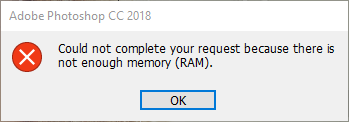
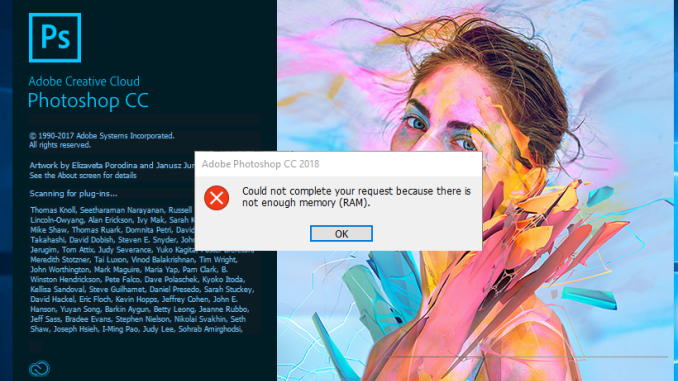
			Xin chào các bạn.<br />Hôm nay mình sẽ hướng dẫn các bạn sửa một lỗi hay gặp trong Adobe  Photoshop CC 2018 đó là lỗi “ Could not complete your request because there is not enough memory (RAM)” như hình dưới.
		</div>
				<div class="imghome">
			<img alt="Hướng dẫn cách sửa lỗi “Not Enough Memory” trên Photoshop CC 2018" src="https://phanmemthienha.com/uploads/news/2018_12/sua-loi-photoshop.png" width="460" class="img-thumbnail" />
		</div>
		<div class="clear"></div>
		<div id="bodytext" class="clearfix">
			Start<br  />
<img alt="sua loi photoshop 1" height="122" src="https://phanmemthienha.com/uploads/news/2018_12/sua-loi-photoshop-1.png" width="349" />
<h2><span id="Cac-buoc-de-sua-loi-trong-Adobe-Photoshop-CC-2018"><span style="color: rgb(51, 51, 153);">Các bước để sửa lỗi trong Adobe&nbsp; Photoshop CC 2018:</span></span></h2>

<h3><span id="Buoc-1-Mo-trinh-duyet-Registry-Editor"><span style="color: rgb(0, 128, 0);">Bước 1: Mở trình duyệt <strong>Registry Editor</strong></span></span></h3>

<h4><span id="11Thoat-phan-mem-Photoshop"><span style="color: rgb(128, 0, 128);"><strong>1.1&nbsp;</strong>Thoát phần mềm Photoshop</span></span></h4>

<p>Để khắc phục lỗi này, đầu tiên bạn tắt phần mềm Photoshop.</p>

<h4><span id="12Mo-trinh-duyet-Registry-Editor"><span style="color: rgb(128, 0, 128);"><strong>1.2&nbsp;</strong>Mở trình duyệt <strong>Registry Editor&nbsp;</strong></span></span></h4>

<p>Để mở trình duyệt Registry Editor:</p>

<p>• Đầu tiên, bạn mở Windows Run bằng tổ hợp phím Windows + R. .</p>

<p>• Rồi các bạn nhập vào ô tìm kiếm từ “ <em>Regedit </em>” và bấm OK như hình dưới nhé.</p>

<p><img alt="sua-loi-photoshop" class="alignnone wp-image-197 size-full" data-attachment-id="197" data-comments-opened="1" data-image-description="" data-image-meta="{&#039;aperture&#039;:&#039;0&#039;,&#039;credit&#039;:&#039;&#039;,&#039;camera&#039;:&#039;&#039;,&#039;caption&#039;:&#039;&#039;,&#039;created_timestamp&#039;:&#039;0&#039;,&#039;copyright&#039;:&#039;&#039;,&#039;focal_length&#039;:&#039;0&#039;,&#039;iso&#039;:&#039;0&#039;,&#039;shutter_speed&#039;:&#039;0&#039;,&#039;title&#039;:&#039;&#039;,&#039;orientation&#039;:&#039;0&#039;}" data-image-title="sua-loi-photoshop-2" data-large-file="https://i2.wp.com/www.nguyenxuanbao.com/wp-content/uploads/2018/06/sua-loi-photoshop-2.png?fit=399%2C206" data-medium-file="https://i2.wp.com/www.nguyenxuanbao.com/wp-content/uploads/2018/06/sua-loi-photoshop-2.png?fit=300%2C155" data-orig-file="https://i2.wp.com/www.nguyenxuanbao.com/wp-content/uploads/2018/06/sua-loi-photoshop-2.png?fit=399%2C206" data-orig-size="399,206" data-permalink="http://www.nguyenxuanbao.com/2018/06/27/huong-dan-sua-loi-not-enough-memory-photoshop-cc-2018/sua-loi-photoshop-2/" height="206" sizes="(max-width: 399px) 100vw, 399px" src="https://i2.wp.com/www.nguyenxuanbao.com/wp-content/uploads/2018/06/sua-loi-photoshop-2.png?resize=399%2C206" srcset="https://i2.wp.com/www.nguyenxuanbao.com/wp-content/uploads/2018/06/sua-loi-photoshop-2.png?w=399 399w, https://i2.wp.com/www.nguyenxuanbao.com/wp-content/uploads/2018/06/sua-loi-photoshop-2.png?resize=300%2C155 300w" width="399" /></p>

<h4><span id="13Truy-cap-vao-folder-cua-Photoshop"><span style="color: rgb(128, 0, 128);"><strong>1.3&nbsp;Truy cập vào folder của Photoshop:&nbsp;&nbsp;</strong></span></span></h4>

<p><strong><span style="color: rgb(128, 0, 0);">1.3.1</span></strong> Khi cửa sổ <strong>Registry Editor</strong> hiện ra, bạn nhập vào thanh địa chỉ dòng địa chỉ sau: “<em>Computer\HKEY_CURRENT_USER\Software\Adobe\Photoshop\120.</em>0 “ rồi nhấn enter như hình dưới nhé.</p>

<p><img alt="sua-loi-photoshop" class="alignnone wp-image-198" data-attachment-id="198" data-comments-opened="1" data-image-description="" data-image-meta="{&#039;aperture&#039;:&#039;0&#039;,&#039;credit&#039;:&#039;&#039;,&#039;camera&#039;:&#039;&#039;,&#039;caption&#039;:&#039;&#039;,&#039;created_timestamp&#039;:&#039;0&#039;,&#039;copyright&#039;:&#039;&#039;,&#039;focal_length&#039;:&#039;0&#039;,&#039;iso&#039;:&#039;0&#039;,&#039;shutter_speed&#039;:&#039;0&#039;,&#039;title&#039;:&#039;&#039;,&#039;orientation&#039;:&#039;0&#039;}" data-image-title="sua-loi-photoshop-3" data-large-file="https://i2.wp.com/www.nguyenxuanbao.com/wp-content/uploads/2018/06/sua-loi-photoshop-3.png?fit=941%2C670" data-medium-file="https://i2.wp.com/www.nguyenxuanbao.com/wp-content/uploads/2018/06/sua-loi-photoshop-3.png?fit=300%2C214" data-orig-file="https://i2.wp.com/www.nguyenxuanbao.com/wp-content/uploads/2018/06/sua-loi-photoshop-3.png?fit=941%2C670" data-orig-size="941,670" data-permalink="http://www.nguyenxuanbao.com/2018/06/27/huong-dan-sua-loi-not-enough-memory-photoshop-cc-2018/sua-loi-photoshop-3/" height="454" sizes="(max-width: 750px) 100vw, 750px" src="https://i2.wp.com/www.nguyenxuanbao.com/wp-content/uploads/2018/06/sua-loi-photoshop-3.png?resize=750%2C534" srcset="https://i2.wp.com/www.nguyenxuanbao.com/wp-content/uploads/2018/06/sua-loi-photoshop-3.png?w=941 941w, https://i2.wp.com/www.nguyenxuanbao.com/wp-content/uploads/2018/06/sua-loi-photoshop-3.png?resize=300%2C214 300w, https://i2.wp.com/www.nguyenxuanbao.com/wp-content/uploads/2018/06/sua-loi-photoshop-3.png?resize=768%2C547 768w" width="638" /></p>

<p><span style="color: rgb(128, 0, 0);"><strong>1.3.2&nbsp;</strong></span> Để chắc chắn phiên bản Photoshop trên máy tính của bạn là Adobe Photoshop CC 2018 thì bạn chọn vào mục “<em> SettingsFilePath</em> ” như hình dưới để kiểm tra nhé.</p>

<p><img alt="" class="alignnone wp-image-199" data-attachment-id="199" data-comments-opened="1" data-image-description="" data-image-meta="{&#039;aperture&#039;:&#039;0&#039;,&#039;credit&#039;:&#039;&#039;,&#039;camera&#039;:&#039;&#039;,&#039;caption&#039;:&#039;&#039;,&#039;created_timestamp&#039;:&#039;0&#039;,&#039;copyright&#039;:&#039;&#039;,&#039;focal_length&#039;:&#039;0&#039;,&#039;iso&#039;:&#039;0&#039;,&#039;shutter_speed&#039;:&#039;0&#039;,&#039;title&#039;:&#039;&#039;,&#039;orientation&#039;:&#039;0&#039;}" data-image-title="sua-loi-photoshop-4" data-large-file="https://i0.wp.com/www.nguyenxuanbao.com/wp-content/uploads/2018/06/sua-loi-photoshop-4.png?fit=940%2C670" data-medium-file="https://i0.wp.com/www.nguyenxuanbao.com/wp-content/uploads/2018/06/sua-loi-photoshop-4.png?fit=300%2C214" data-orig-file="https://i0.wp.com/www.nguyenxuanbao.com/wp-content/uploads/2018/06/sua-loi-photoshop-4.png?fit=940%2C670" data-orig-size="940,670" data-permalink="http://www.nguyenxuanbao.com/2018/06/27/huong-dan-sua-loi-not-enough-memory-photoshop-cc-2018/sua-loi-photoshop-4/" height="454" sizes="(max-width: 750px) 100vw, 750px" src="https://i0.wp.com/www.nguyenxuanbao.com/wp-content/uploads/2018/06/sua-loi-photoshop-4.png?resize=750%2C535" srcset="https://i0.wp.com/www.nguyenxuanbao.com/wp-content/uploads/2018/06/sua-loi-photoshop-4.png?w=940 940w, https://i0.wp.com/www.nguyenxuanbao.com/wp-content/uploads/2018/06/sua-loi-photoshop-4.png?resize=300%2C214 300w, https://i0.wp.com/www.nguyenxuanbao.com/wp-content/uploads/2018/06/sua-loi-photoshop-4.png?resize=768%2C547 768w" width="638" /></p>

<p><span style="color: rgb(128, 0, 0);"><strong>1.3.3&nbsp;</strong></span>Một bảng thông hiện ra, bạn chú&nbsp;ý ở dòng Value data. Nếu có dòng chữ <em>Adobe Photoshop CC 2018 Settings </em>như hình thì phiên bản Photoshop trên máy tính của bạn đúng là&nbsp; Adobe Photoshop CC 2018.</p>

<p><img alt="" class="alignnone wp-image-200 size-full" data-attachment-id="200" data-comments-opened="1" data-image-description="" data-image-meta="{&#039;aperture&#039;:&#039;0&#039;,&#039;credit&#039;:&#039;&#039;,&#039;camera&#039;:&#039;&#039;,&#039;caption&#039;:&#039;&#039;,&#039;created_timestamp&#039;:&#039;0&#039;,&#039;copyright&#039;:&#039;&#039;,&#039;focal_length&#039;:&#039;0&#039;,&#039;iso&#039;:&#039;0&#039;,&#039;shutter_speed&#039;:&#039;0&#039;,&#039;title&#039;:&#039;&#039;,&#039;orientation&#039;:&#039;0&#039;}" data-image-title="sua-loi-photoshop-5" data-large-file="https://i1.wp.com/www.nguyenxuanbao.com/wp-content/uploads/2018/06/sua-loi-photoshop-5.png?fit=380%2C170" data-medium-file="https://i1.wp.com/www.nguyenxuanbao.com/wp-content/uploads/2018/06/sua-loi-photoshop-5.png?fit=300%2C134" data-orig-file="https://i1.wp.com/www.nguyenxuanbao.com/wp-content/uploads/2018/06/sua-loi-photoshop-5.png?fit=380%2C170" data-orig-size="380,170" data-permalink="http://www.nguyenxuanbao.com/2018/06/27/huong-dan-sua-loi-not-enough-memory-photoshop-cc-2018/sua-loi-photoshop-5/" height="170" sizes="(max-width: 380px) 100vw, 380px" src="https://i1.wp.com/www.nguyenxuanbao.com/wp-content/uploads/2018/06/sua-loi-photoshop-5.png?resize=380%2C170" srcset="https://i1.wp.com/www.nguyenxuanbao.com/wp-content/uploads/2018/06/sua-loi-photoshop-5.png?w=380 380w, https://i1.wp.com/www.nguyenxuanbao.com/wp-content/uploads/2018/06/sua-loi-photoshop-5.png?resize=300%2C134 300w" width="380" /></p>

<h3><span id="Buoc-2-Chinh-sua-Regedit-trong-folder-Photoshop"><span style="color: rgb(0, 128, 0);">Bước 2: Chỉnh sửa Regedit trong folder Photoshop</span></span></h3>

<h3><span id="21-Them-file-DWORD-32-bit-Value-moi"><span style="color: rgb(128, 0, 128);">2.1&nbsp; Thêm file DWORD (32-bit) Value mới</span></span></h3>

<p>Bạn nhấp chuột phải vào thư mục <em>120.0</em>&nbsp;→ Chọn <em>New</em>→ Chọn <em>DWORD (32-bit) Value</em>&nbsp; như hình nhé.</p>

<p><img alt="sua-loi-photoshop" class="alignnone wp-image-201" data-attachment-id="201" data-comments-opened="1" data-image-description="" data-image-meta="{&#039;aperture&#039;:&#039;0&#039;,&#039;credit&#039;:&#039;&#039;,&#039;camera&#039;:&#039;&#039;,&#039;caption&#039;:&#039;&#039;,&#039;created_timestamp&#039;:&#039;0&#039;,&#039;copyright&#039;:&#039;&#039;,&#039;focal_length&#039;:&#039;0&#039;,&#039;iso&#039;:&#039;0&#039;,&#039;shutter_speed&#039;:&#039;0&#039;,&#039;title&#039;:&#039;&#039;,&#039;orientation&#039;:&#039;0&#039;}" data-image-title="sua-loi-photoshop-6" data-large-file="https://i2.wp.com/www.nguyenxuanbao.com/wp-content/uploads/2018/06/sua-loi-photoshop-6.png?fit=939%2C670" data-medium-file="https://i2.wp.com/www.nguyenxuanbao.com/wp-content/uploads/2018/06/sua-loi-photoshop-6.png?fit=300%2C214" data-orig-file="https://i2.wp.com/www.nguyenxuanbao.com/wp-content/uploads/2018/06/sua-loi-photoshop-6.png?fit=939%2C670" data-orig-size="939,670" data-permalink="http://www.nguyenxuanbao.com/2018/06/27/huong-dan-sua-loi-not-enough-memory-photoshop-cc-2018/sua-loi-photoshop-6/" height="455" sizes="(max-width: 750px) 100vw, 750px" src="https://i2.wp.com/www.nguyenxuanbao.com/wp-content/uploads/2018/06/sua-loi-photoshop-6.png?resize=750%2C535" srcset="https://i2.wp.com/www.nguyenxuanbao.com/wp-content/uploads/2018/06/sua-loi-photoshop-6.png?w=939 939w, https://i2.wp.com/www.nguyenxuanbao.com/wp-content/uploads/2018/06/sua-loi-photoshop-6.png?resize=300%2C214 300w, https://i2.wp.com/www.nguyenxuanbao.com/wp-content/uploads/2018/06/sua-loi-photoshop-6.png?resize=768%2C548 768w" width="638" /></p>

<h4><span id="22-Doi-ten-file-moi-tao"><span style="color: rgb(128, 0, 128);">2.2 Đổi tên file mới tạo</span></span></h4>

<p>Bạn đổi tên file này là : <strong>OverridePhysicalMemoryMB </strong>như hình nhé.</p>

<p><img alt="sua-loi-photoshop" class="alignnone wp-image-203 size-full" data-attachment-id="203" data-comments-opened="1" data-image-description="" data-image-meta="{&#039;aperture&#039;:&#039;0&#039;,&#039;credit&#039;:&#039;&#039;,&#039;camera&#039;:&#039;&#039;,&#039;caption&#039;:&#039;&#039;,&#039;created_timestamp&#039;:&#039;0&#039;,&#039;copyright&#039;:&#039;&#039;,&#039;focal_length&#039;:&#039;0&#039;,&#039;iso&#039;:&#039;0&#039;,&#039;shutter_speed&#039;:&#039;0&#039;,&#039;title&#039;:&#039;&#039;,&#039;orientation&#039;:&#039;0&#039;}" data-image-title="sua-loi-photoshop-8" data-large-file="https://i1.wp.com/www.nguyenxuanbao.com/wp-content/uploads/2018/06/sua-loi-photoshop-8.png?fit=586%2C250" data-medium-file="https://i1.wp.com/www.nguyenxuanbao.com/wp-content/uploads/2018/06/sua-loi-photoshop-8.png?fit=300%2C128" data-orig-file="https://i1.wp.com/www.nguyenxuanbao.com/wp-content/uploads/2018/06/sua-loi-photoshop-8.png?fit=586%2C250" data-orig-size="586,250" data-permalink="http://www.nguyenxuanbao.com/2018/06/27/huong-dan-sua-loi-not-enough-memory-photoshop-cc-2018/sua-loi-photoshop-8/" height="250" sizes="(max-width: 586px) 100vw, 586px" src="https://i1.wp.com/www.nguyenxuanbao.com/wp-content/uploads/2018/06/sua-loi-photoshop-8.png?resize=586%2C250" srcset="https://i1.wp.com/www.nguyenxuanbao.com/wp-content/uploads/2018/06/sua-loi-photoshop-8.png?w=586 586w, https://i1.wp.com/www.nguyenxuanbao.com/wp-content/uploads/2018/06/sua-loi-photoshop-8.png?resize=300%2C128 300w" width="586" /></p>

<h4><span id="23-Chinh-sua-gia-tri-cua-file-OverridePhysicalMemoryMB"><span style="color: rgb(128, 0, 128);">2.3 Chỉnh sửa giá trị của file <strong>OverridePhysicalMemoryMB</strong></span></span></h4>

<p><span style="color: rgb(128, 0, 0);"><strong>2.3.1</strong></span> Bạn nhấp chuột phải vào file <strong>OverridePhysicalMemoryMB&nbsp;</strong>vừa mới tạo và chọn <strong>Modify </strong>như hình nhé.</p>

<p><img alt="sua-loi-photoshop" class="alignnone wp-image-202" data-attachment-id="202" data-comments-opened="1" data-image-description="" data-image-meta="{&#039;aperture&#039;:&#039;0&#039;,&#039;credit&#039;:&#039;&#039;,&#039;camera&#039;:&#039;&#039;,&#039;caption&#039;:&#039;&#039;,&#039;created_timestamp&#039;:&#039;0&#039;,&#039;copyright&#039;:&#039;&#039;,&#039;focal_length&#039;:&#039;0&#039;,&#039;iso&#039;:&#039;0&#039;,&#039;shutter_speed&#039;:&#039;0&#039;,&#039;title&#039;:&#039;&#039;,&#039;orientation&#039;:&#039;0&#039;}" data-image-title="sua-loi-photoshop-7" data-large-file="https://i1.wp.com/www.nguyenxuanbao.com/wp-content/uploads/2018/06/sua-loi-photoshop-7.png?fit=634%2C600" data-medium-file="https://i1.wp.com/www.nguyenxuanbao.com/wp-content/uploads/2018/06/sua-loi-photoshop-7.png?fit=300%2C284" data-orig-file="https://i1.wp.com/www.nguyenxuanbao.com/wp-content/uploads/2018/06/sua-loi-photoshop-7.png?fit=634%2C600" data-orig-size="634,600" data-permalink="http://www.nguyenxuanbao.com/2018/06/27/huong-dan-sua-loi-not-enough-memory-photoshop-cc-2018/sua-loi-photoshop-7/" height="568" sizes="(max-width: 600px) 100vw, 600px" src="https://i1.wp.com/www.nguyenxuanbao.com/wp-content/uploads/2018/06/sua-loi-photoshop-7.png?resize=600%2C568" srcset="https://i1.wp.com/www.nguyenxuanbao.com/wp-content/uploads/2018/06/sua-loi-photoshop-7.png?w=634 634w, https://i1.wp.com/www.nguyenxuanbao.com/wp-content/uploads/2018/06/sua-loi-photoshop-7.png?resize=300%2C284 300w" width="600" /></p>

<p><strong><span style="color: rgb(128, 0, 0);">2.3.2</span></strong> Chỉnh số giá trị của file <strong>OverridePhysicalMemoryMB</strong></p>

<p>Một bảng edit&nbsp;giá trị của file hiện ra, bạn chọn vào <strong>Hexadecimal</strong>, sau đó bạn nhập 24000 vào dòng <strong>Value Data </strong>rồi nhấn OK như hình nhé.</p>

<p><img alt="sua-loi-photoshop" class="alignnone wp-image-204 size-full" data-attachment-id="204" data-comments-opened="1" data-image-description="" data-image-meta="{&#039;aperture&#039;:&#039;0&#039;,&#039;credit&#039;:&#039;&#039;,&#039;camera&#039;:&#039;&#039;,&#039;caption&#039;:&#039;&#039;,&#039;created_timestamp&#039;:&#039;0&#039;,&#039;copyright&#039;:&#039;&#039;,&#039;focal_length&#039;:&#039;0&#039;,&#039;iso&#039;:&#039;0&#039;,&#039;shutter_speed&#039;:&#039;0&#039;,&#039;title&#039;:&#039;&#039;,&#039;orientation&#039;:&#039;0&#039;}" data-image-title="sua-loi-photoshop-9" data-large-file="https://i2.wp.com/www.nguyenxuanbao.com/wp-content/uploads/2018/06/sua-loi-photoshop-9.png?fit=330%2C200" data-medium-file="https://i2.wp.com/www.nguyenxuanbao.com/wp-content/uploads/2018/06/sua-loi-photoshop-9.png?fit=300%2C182" data-orig-file="https://i2.wp.com/www.nguyenxuanbao.com/wp-content/uploads/2018/06/sua-loi-photoshop-9.png?fit=330%2C200" data-orig-size="330,200" data-permalink="http://www.nguyenxuanbao.com/2018/06/27/huong-dan-sua-loi-not-enough-memory-photoshop-cc-2018/sua-loi-photoshop-9/" height="200" sizes="(max-width: 330px) 100vw, 330px" src="https://i2.wp.com/www.nguyenxuanbao.com/wp-content/uploads/2018/06/sua-loi-photoshop-9.png?resize=330%2C200" srcset="https://i2.wp.com/www.nguyenxuanbao.com/wp-content/uploads/2018/06/sua-loi-photoshop-9.png?w=330 330w, https://i2.wp.com/www.nguyenxuanbao.com/wp-content/uploads/2018/06/sua-loi-photoshop-9.png?resize=300%2C182 300w" width="330" /></p>

<h3><span id="Buoc-3-Restart-may-tinh-va-mo-lai-Photoshop"><span style="color: rgb(0, 128, 0);">Bước 3: Restart máy tình và mở lại Photoshop</span></span></h3>

<p>Sau đấy bạn tắt cửa sổ <strong>Registry Editor</strong>, rồi bạn&nbsp;khởi động lại máy tính và mở lại Photoshop xem có còn hiện tượng trên nũa không nhé.</p>

<p>Vậy là mình đã hướng dẫn các bạn cách khắc phụ lỗi “ Not enough memory (RAM)” &nbsp;trên Adobe &nbsp;Photoshop CC 2018 rồi nhé. Nếu bạn có cách khắc phục nào hay hơn thì comment bên dưới để mọi cùng tham khảo nhé.</p>

<p>Chúc các bạn một ngày làm việc tốt lành</p>
<br  />
<br  />
<br  />
<br  />
<br  />
<br  />
<br  />
&nbsp;
		</div>
				<div id="author">
						<p>
				<strong>Nguồn tin:</strong>
				www.nguyenxuanbao.com
			</p>
		</div>
	</div>
	<div id="footer" class="clearfix">
		<div id="url">
			<strong>URL của bản tin này: </strong><a href="https://phanmemthienha.com/news/huong-dan-phan-mem/huong-dan-cach-sua-loi-not-enough-memory-tren-photoshop-cc-2018-94.html" title="Hướng dẫn cách sửa lỗi “Not Enough Memory” trên Photoshop CC 2018">https://phanmemthienha.com/news/huong-dan-phan-mem/huong-dan-cach-sua-loi-not-enough-memory-tren-photoshop-cc-2018-94.html</a>

		</div>
		<div class="clear"></div>
		<div class="copyright">
			&copy; PHAN MEM THIEN HA
		</div>
		<div id="contact">
			<a href="mailto:phamhuy842005@gmail.com">phamhuy842005@gmail.com</a>
		</div>
	</div>
</div>
        <div id="timeoutsess" class="chromeframe">
            Bạn đã không sử dụng Site, <a onclick="timeoutsesscancel();" href="https://phanmemthienha.com/#">Bấm vào đây để duy trì trạng thái đăng nhập</a>. Thời gian chờ: <span id="secField"> 60 </span> giây
        </div>
        <div id="openidResult" class="nv-alert" style="display:none"></div>
        <div id="openidBt" data-result="" data-redirect=""></div>
<div id="run_cronjobs" style="visibility:hidden;display:none;"><img alt="" src="/index.php?second=cronjobs&amp;p=v9xqDTl7" width="1" height="1" /></div>
<script src="https://phanmemthienha.com/assets/js/jquery/jquery.min.js"></script>
<script>var nv_base_siteurl="/",nv_lang_data="vi",nv_lang_interface="vi",nv_name_variable="nv",nv_fc_variable="op",nv_lang_variable="language",nv_module_name="news",nv_func_name="savefile",nv_is_user=0, nv_my_ofs=-4,nv_my_abbr="EDT",nv_cookie_prefix="nv4c_y8Y7D",nv_check_pass_mstime=1738000,nv_area_admin=0,nv_safemode=0,theme_responsive=1,nv_is_recaptcha=1,nv_recaptcha_sitekey="6LeSarIUAAAAAHRq6xkHwO6J0YYQOdMxgqKTXoL_",nv_recaptcha_type="image",nv_recaptcha_elements=[];</script>
<script src="https://phanmemthienha.com/assets/js/language/vi.js"></script>
<script src="https://phanmemthienha.com/assets/js/global.js"></script>
<script src="https://phanmemthienha.com/themes/default/js/news.js"></script>
<script src="https://phanmemthienha.com/themes/popovleather/js/main.js"></script>
<script src="https://phanmemthienha.com/themes/popovleather/js/bootstrap.min.js"></script>
</body>
</html>